Air refueling from the KC-135 and the KC-130
FA 可以空中加油了:KC-135 和 KC-130
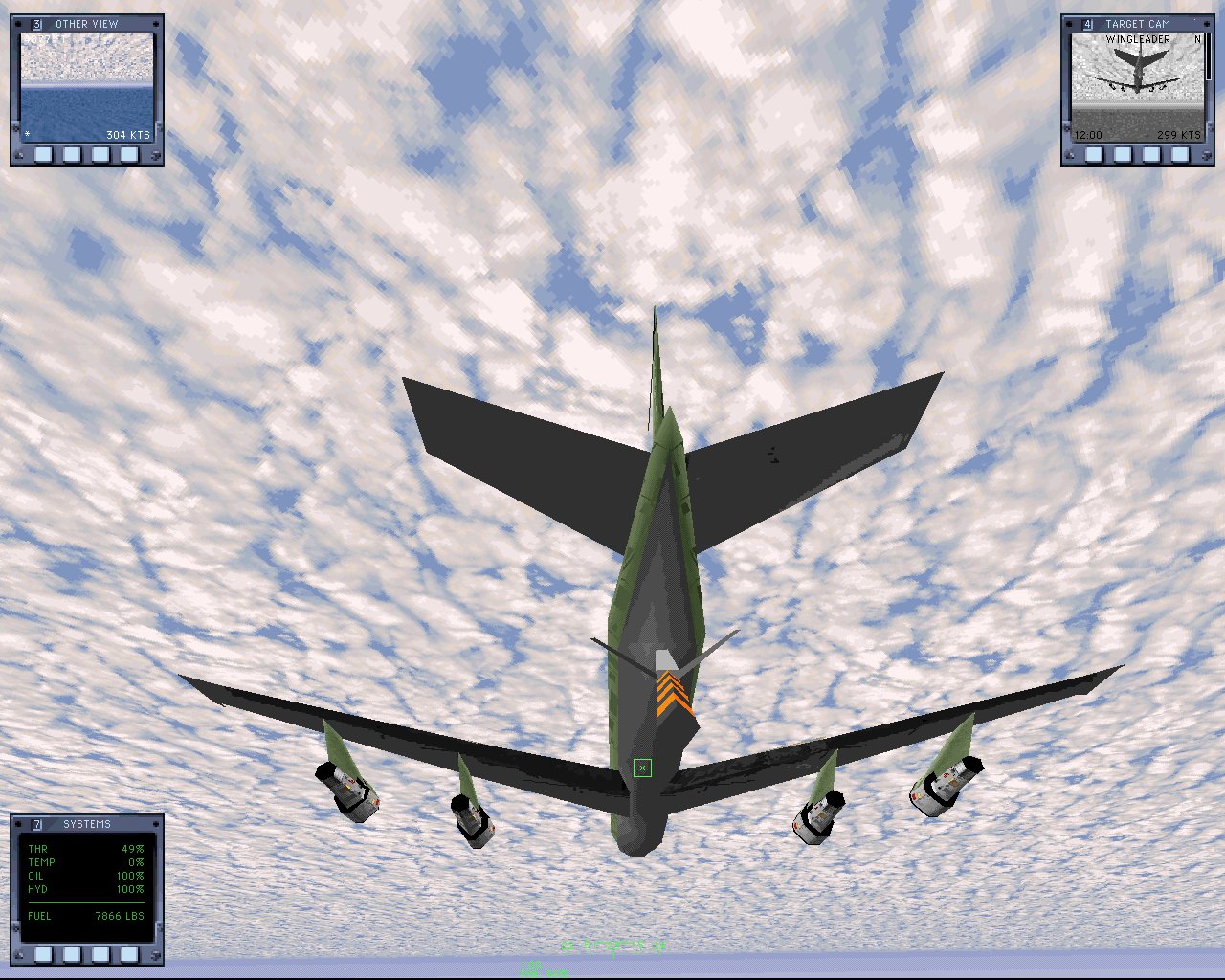
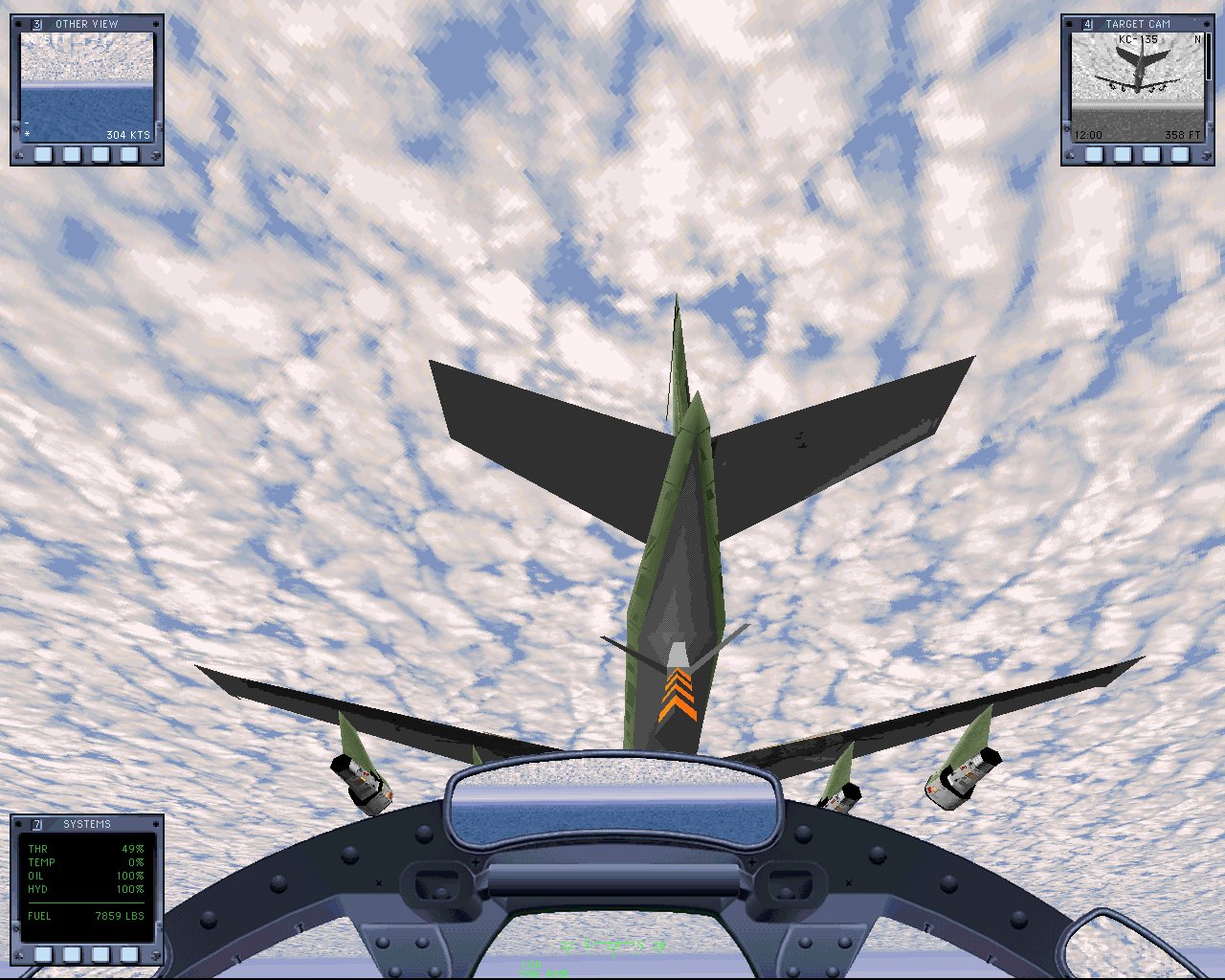
Fly up behind a friendly KC-135 and it lowers its boom, aims it at you, extends the telescope to your receptacle and pumps fuel into your tanks. Everything lives inside KC135.SH, with no FA.EXE patch. The tanker now also wears today’s USAF grey and sits on shorter gear, so _KC135.PIC comes with it. Drop in the two files and every mission that has a friendly KC-135 becomes a tanker mission.
The KC-130 refuels the Navy way: a pod under each wing trails a long hose with a shuttlecock drogue. Both hoses reel out when you come near, and the drogue on your side swings to meet your nose. Jump to the KC-130.
飛到友軍 KC-135 的後下方,它會放下硬桿、對準你、把伸縮管伸到你的受油口,然後開始加油。全部都做在 KC135.SH 裡,不改 FA.EXE。加油機也換上現行美軍的灰色塗裝、起落架改短,所以要一起換 _KC135.PIC。換上這兩個檔案之後,任何有友軍 KC-135 的任務都能空中加油。
KC-130 則是海軍的軟管式加油:兩側機翼下的莢艙各拖出一條長軟管,末端是羽毛球形的錐套。你一靠近,兩條軟管都會放出來,你那一側的錐套會自動擺過來對準你的機頭。跳到 KC-130。
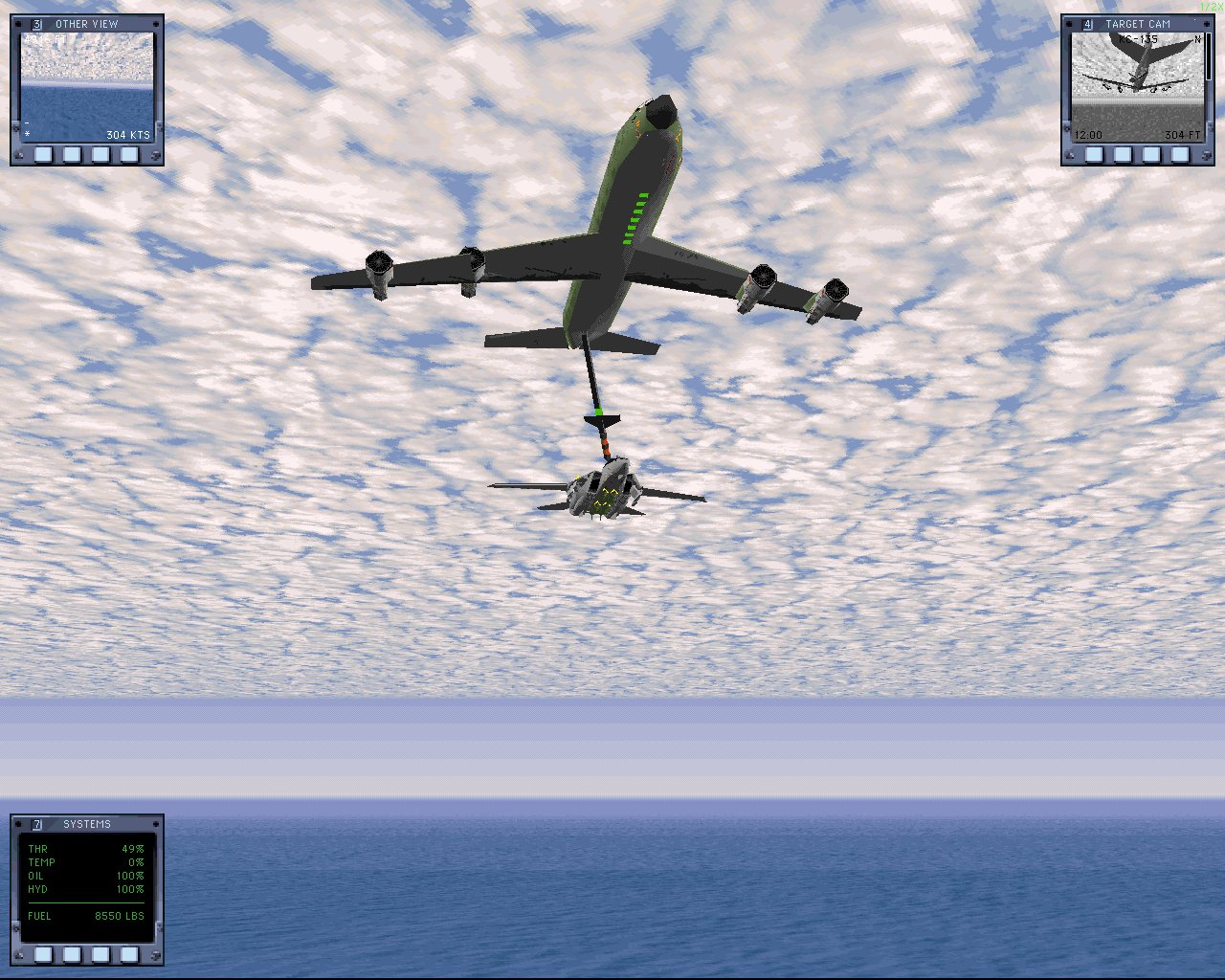
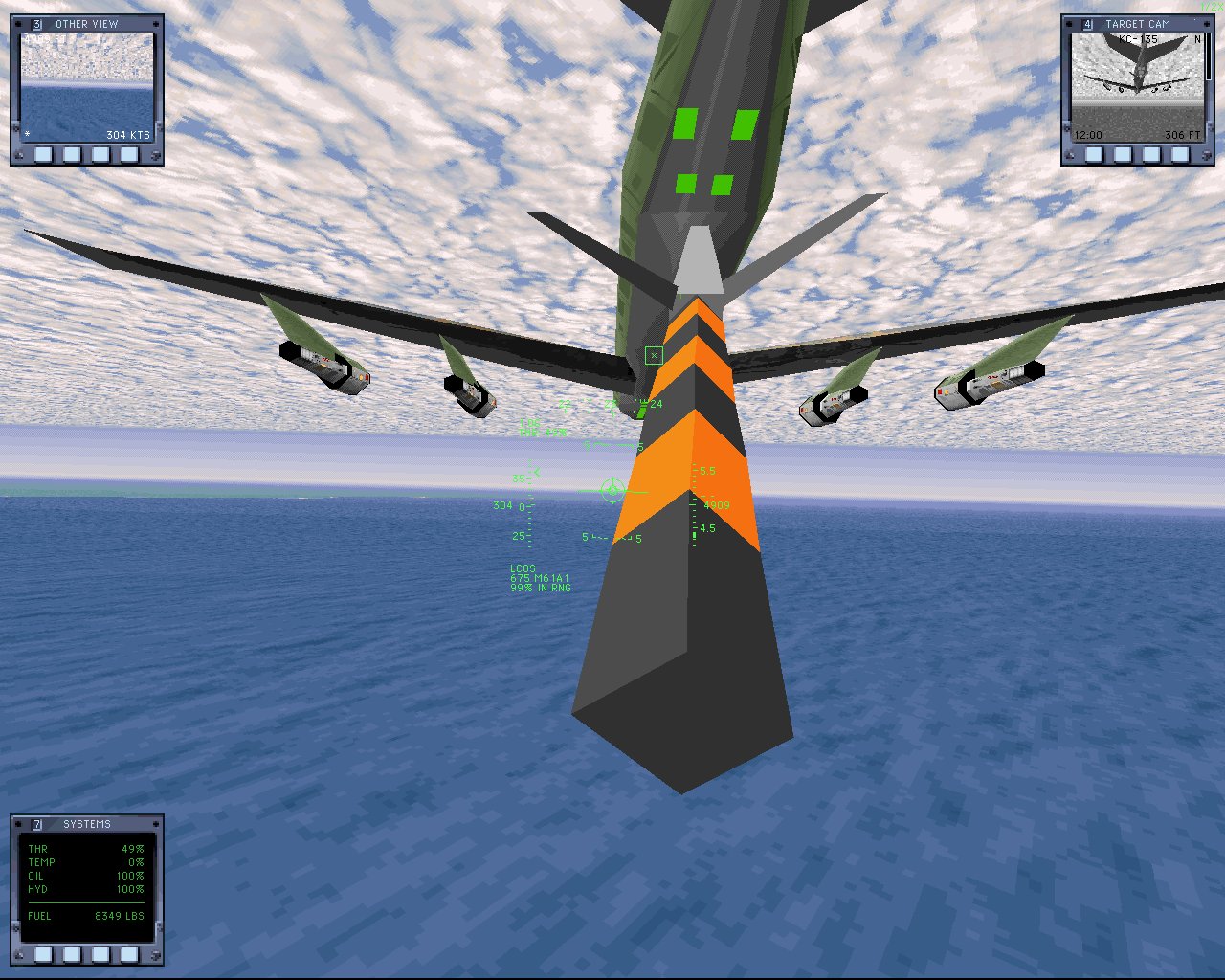
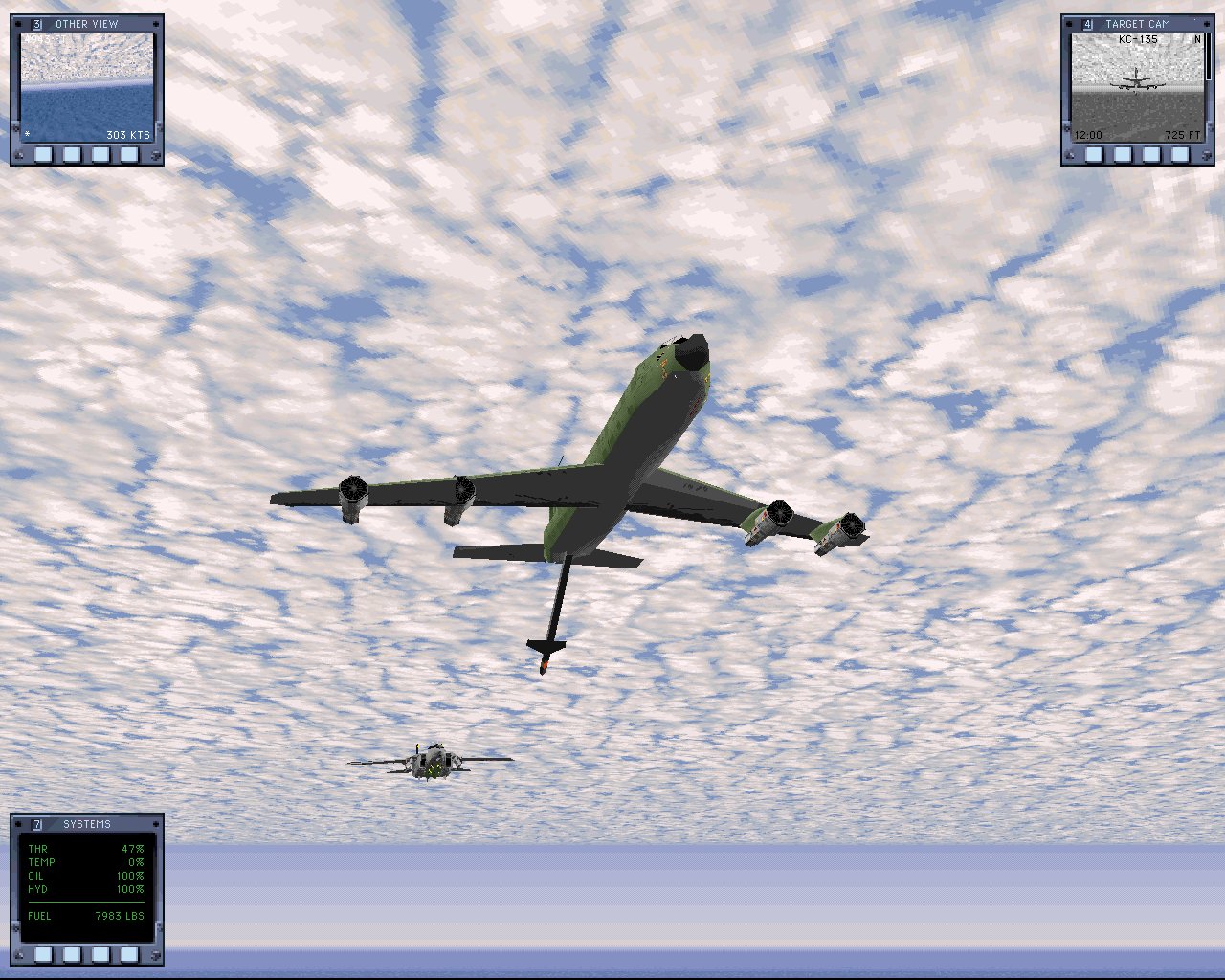
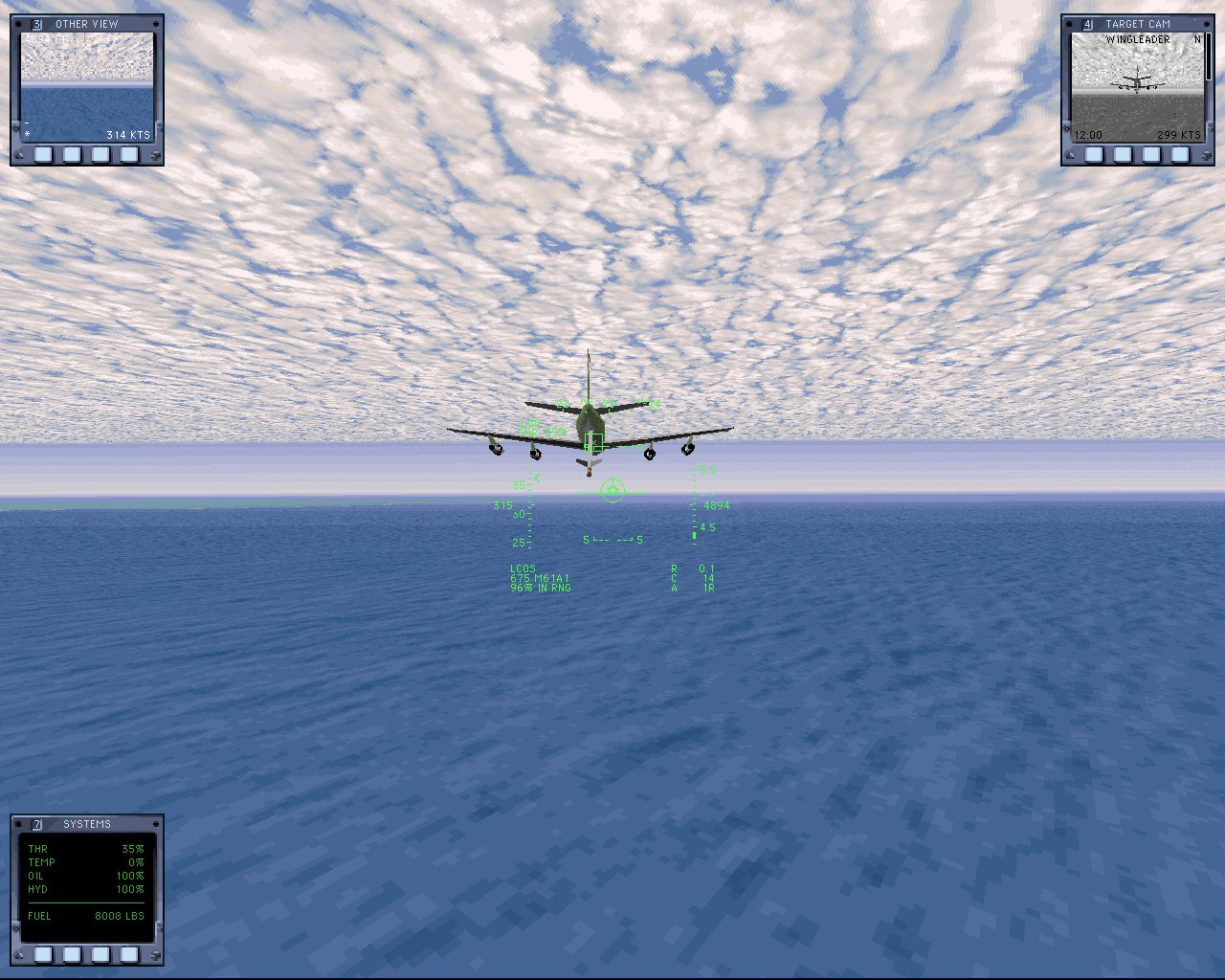
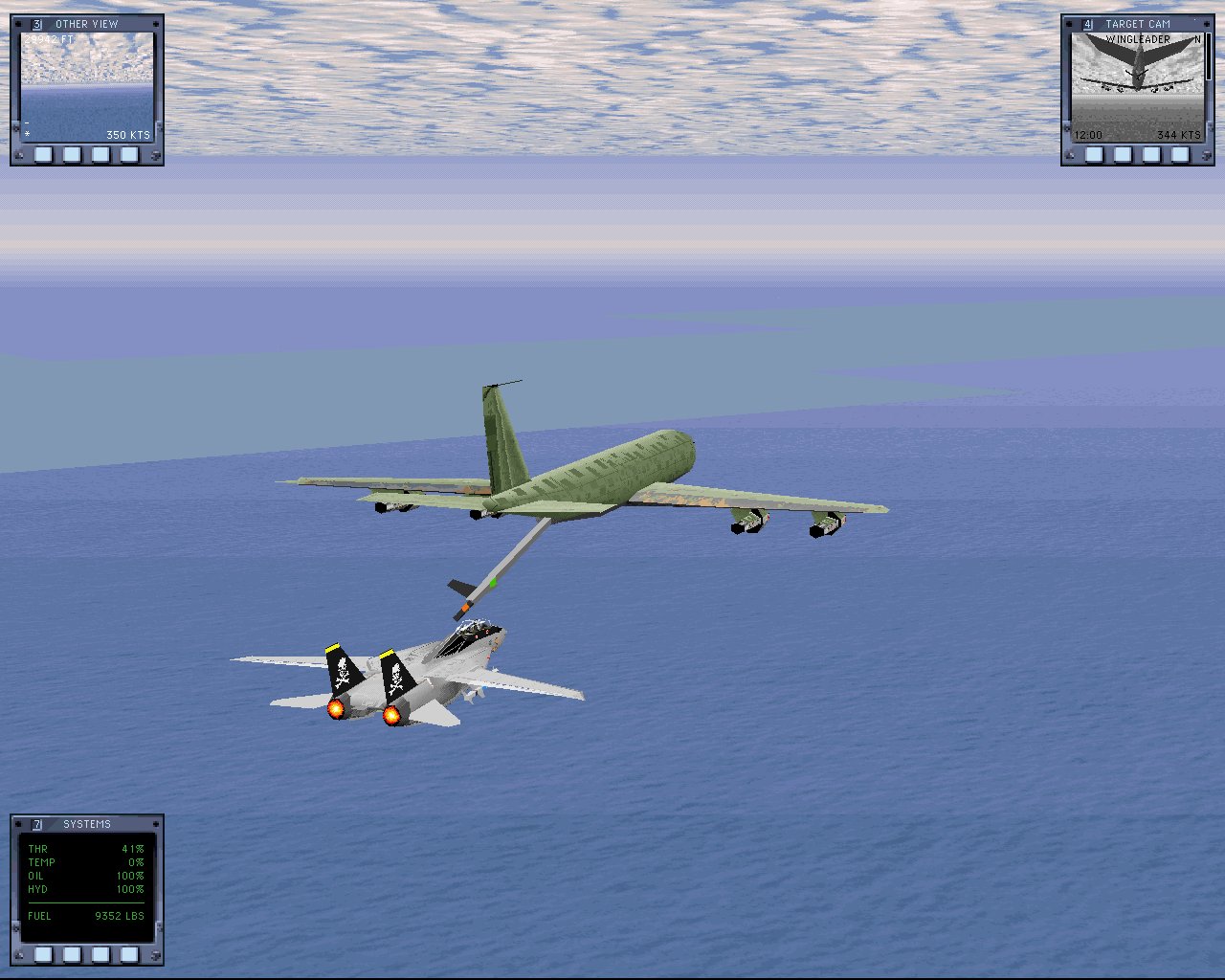
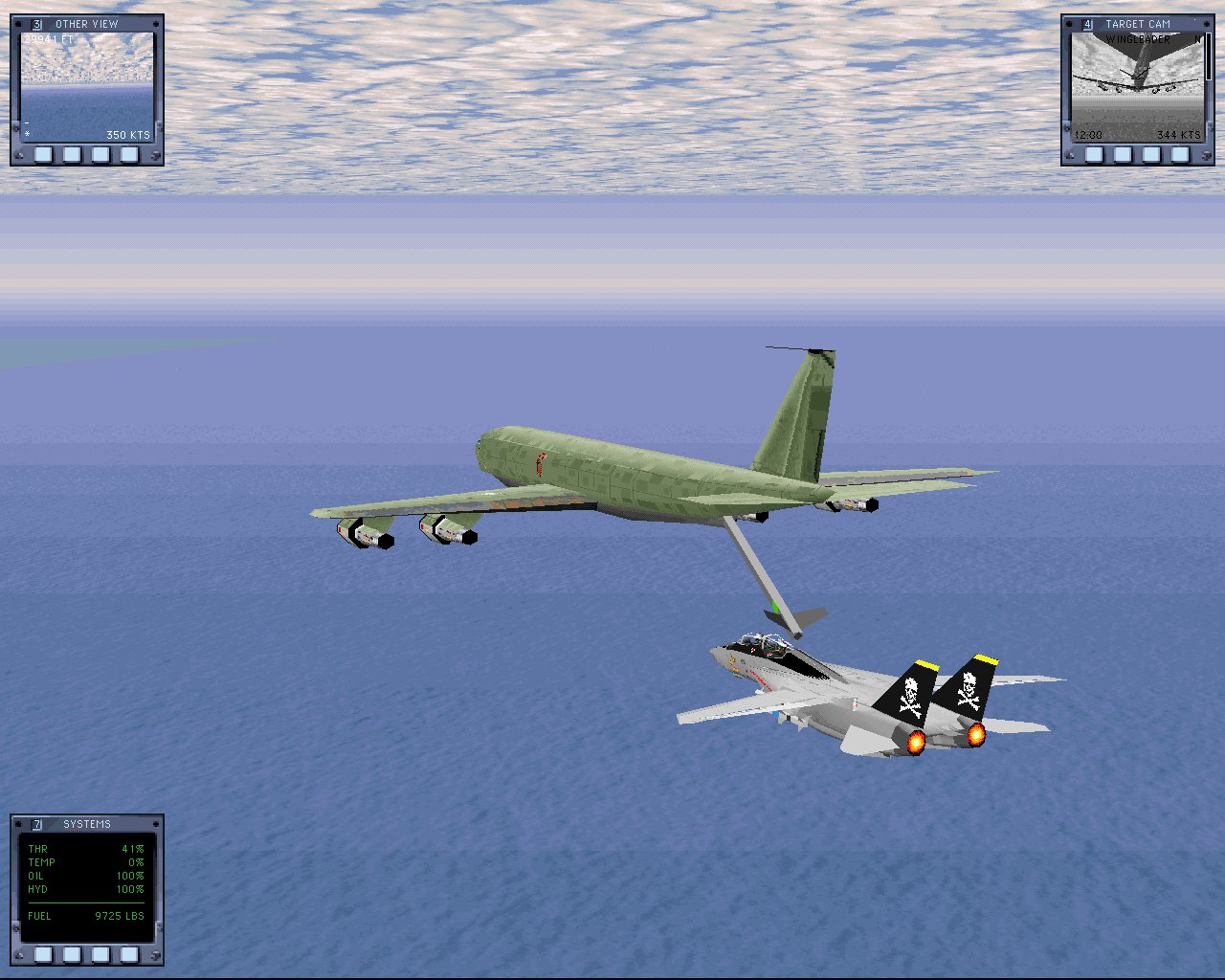
Screenshots from FA 1.02f with the shipped KC135.SH, taken by Kuoyi.
以上是 Kuoyi 用發布版 KC135.SH 在 FA 1.02f 裡的實機截圖。
How to refuel
怎麼加油
- Back up your
KC135.SHand_KC135.PIC, then copy the new ones into the folder FA loads shapes and textures from (where you keep your other loose .SH files). - Pick a mission with a friendly KC-135 (same side as you), or add one in the mission editor and have it fly a straight leg.
- Come up behind it. Within 1,500 ft behind it, 500 ft to either side and up to 800 ft below, the boom lowers to 30° and the telescope extends a little.
- Close to about 100–210 ft from the boom hinge, below and behind. Inside 260 ft the boom follows you and the telescope reaches for your receptacle.
- When you are in the box you get
Start Refueling, the green lights come on, and fuel flows at 100 lb/s (6,000 lb/min, twice the KC-130’s hose) as long as you stay in it. - Full:
Plane Re-Fueled. Back off and the boom raises and stows.
- 先備份你的
KC135.SH,再把新的複製到 FA 讀外形的目錄(你放其他 .SH 的地方)。 - 選一個有友軍 KC-135 的任務(和你同一陣營),或在任務編輯器裡加一架,讓它直線飛一段。
- 從它後方接近。進入後方 1,500 ft、左右 500 ft、下方 800 ft 以內,硬桿會放到 30°,伸縮管伸出一小段。
- 靠近到離硬桿樞紐約 100–210 ft,在後下方。260 ft 以內硬桿會跟著你轉,伸縮管會伸向你的受油口。
- 進入加油框時會跳出
Start Refueling,綠燈亮起,只要待在框裡就以每秒 100 lb(每分鐘 6,000 lb,是 KC-130 軟管的兩倍)加油。 - 加滿時跳出
Plane Re-Fueled。退開後硬桿會收回。
The refueling box
加油框
| Condition | 條件 | Range | 範圍 |
|---|---|---|---|
| Distance from boom hinge to your receptacle | 硬桿樞紐到你受油口的距離 | 96 – 213 ft | |
| Boom elevation (below the tanker) | 硬桿俯角(在加油機下方) | 15° – 60° | |
| Boom azimuth (left / right) | 硬桿左右偏角 | ± 25° | |
| Heading difference | 航向差 | ± 20° | |
| Speed difference | 速度差 | ± 60 ft/s |
Your receptacle is taken as 20 ft above and 50 ft ahead of your aircraft’s centre, roughly where it sits on an F-15, F-16 or F-14 spine. Match the tanker’s speed and sit under and behind its tail. If you creep in too close, the boom swings down as far as 60° and the telescope retracts to keep the contact.
受油口假設在你的飛機中心上方 20 ft、前方 50 ft,大約是 F-15、F-16、F-14 背上的位置。速度跟加油機一致,停在它尾巴後下方就好。太靠近時硬桿最多會往下轉到 60°,伸縮管也會縮回來保持接觸。
Things to know
使用注意事項
KC135.SH and _KC135.PIC back (for the KC-130, remove KC130.SH, _KC130.PIC and KC130.PT). Nothing else is changed.KC135.SH 和 _KC135.PIC 放回去就好(KC-130 則刪掉 KC130.SH、_KC130.PIC 和 KC130.PT),其他東西都沒有改。The KC-130: hose and drogue
KC-130:軟管和錐套
FA’s C-130 shape (AN12A.SH, which the stock KC-130 uses) gets a refueling pod under each outer wing. When you come near, both pods reel out a 360 ft hose that hangs in a curve and trails level into a shuttlecock drogue. Fly your nose toward one of them: within about 660 ft the drogue on your side swings to meet your nose (holding a drogue by hand in FA would be close to impossible), and when you are in contact that pod turns green and fuel flows at 50 lb/s. Either side can refuel you, but only one at a time. Like the KC-135, its collision radius drops from 198 ft to 10 ft while you are within 3,000 ft, so you can fly through it.
FA 的 C-130 外形(AN12A.SH,原版 KC-130 用的就是它)在兩側外翼下各加了一個加油莢艙。你一靠近,兩個莢艙都會放出 360 ft 的軟管,軟管垂成曲線,接到錐套前那段拉平。把機頭飛向其中一個:大約 660 ft 以內,你那一側的錐套會自動擺過來對準你的機頭(在 FA 裡要靠手飛去咬住錐套幾乎不可能),接上時那一側的莢艙變成綠色,以每秒 50 lb 加油。兩側都能加,但一次只有一側。和 KC-135 一樣,你在它 3,000 ft 以內時,它的碰撞半徑從 198 ft 縮到 10 ft,可以穿過去。
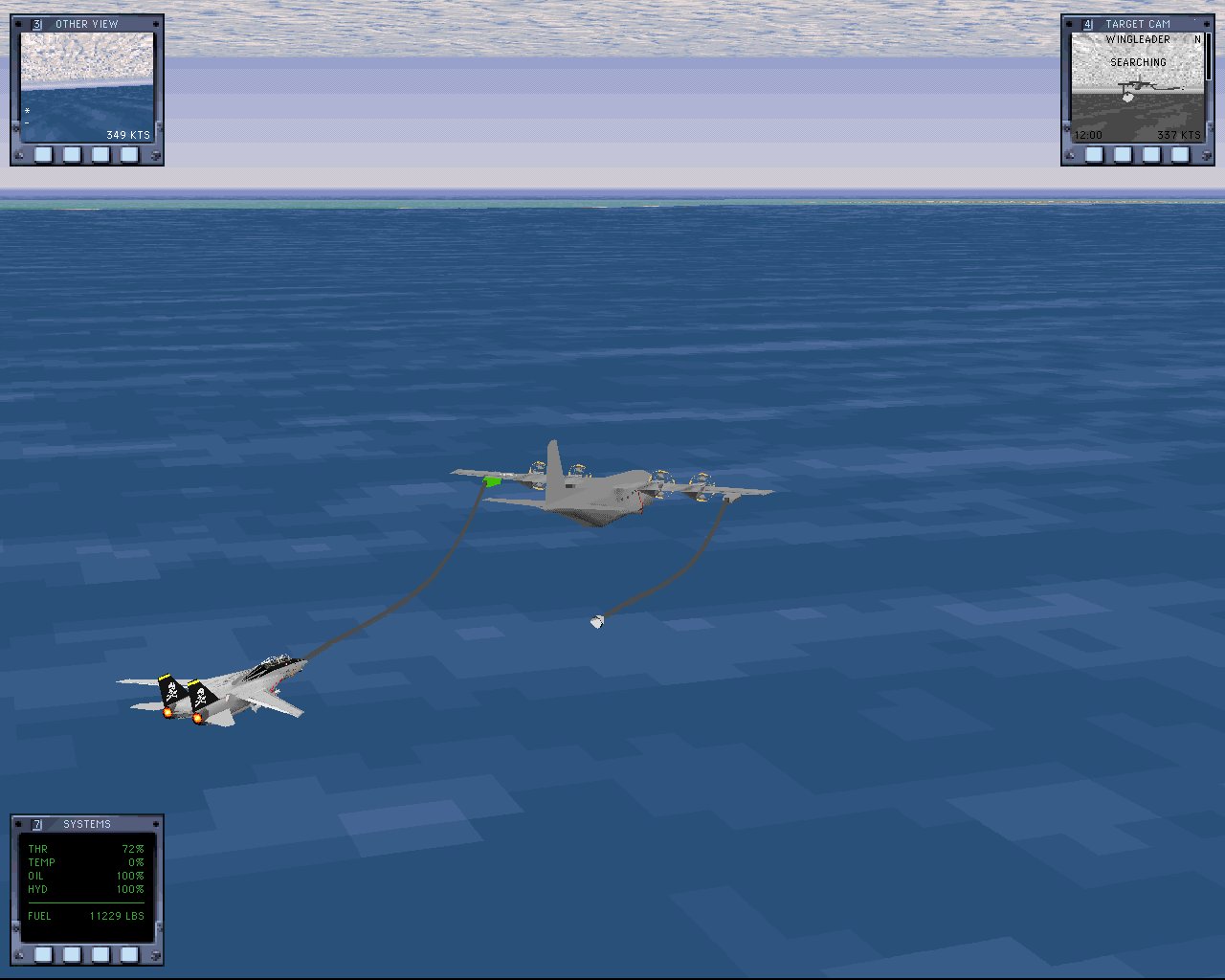
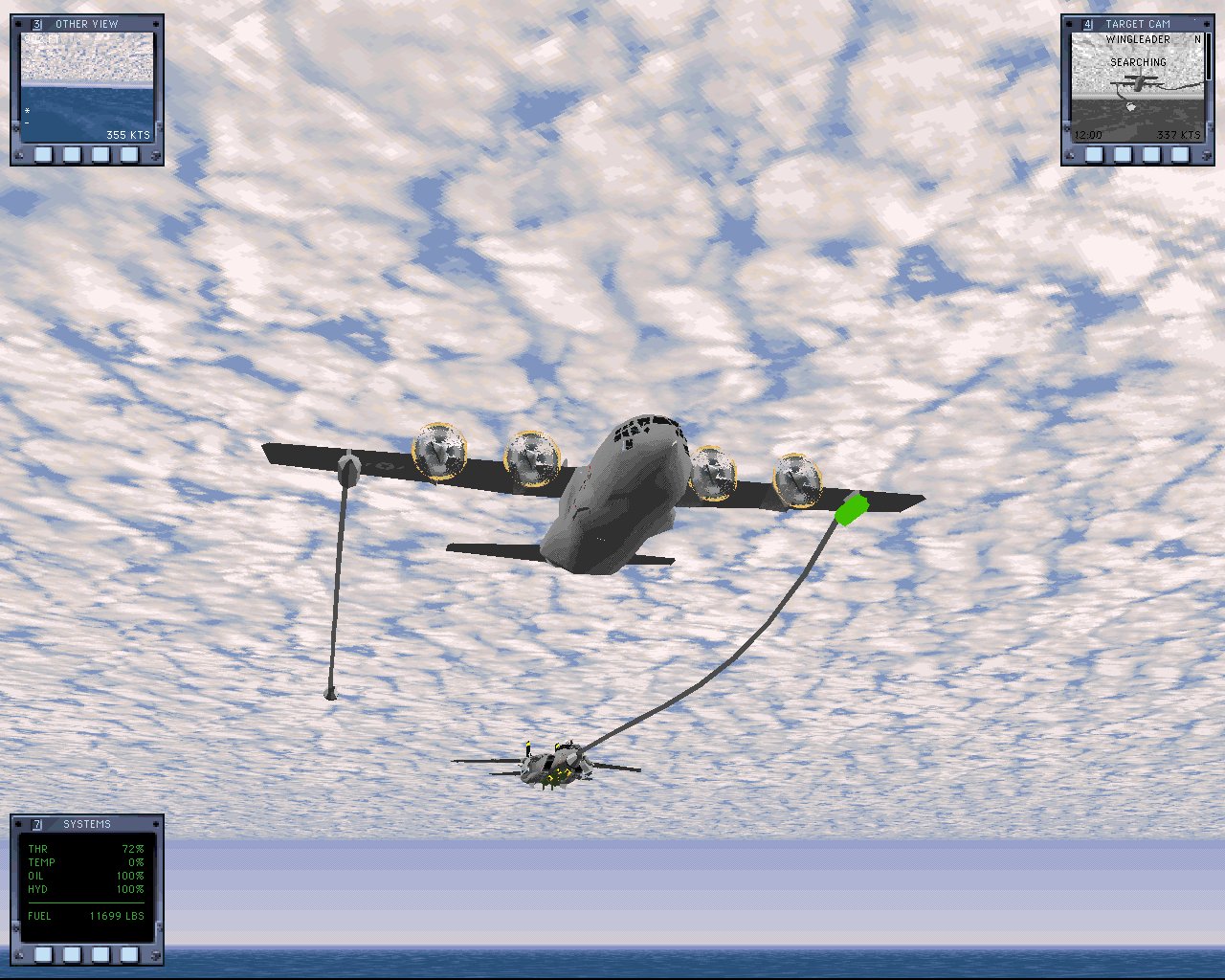
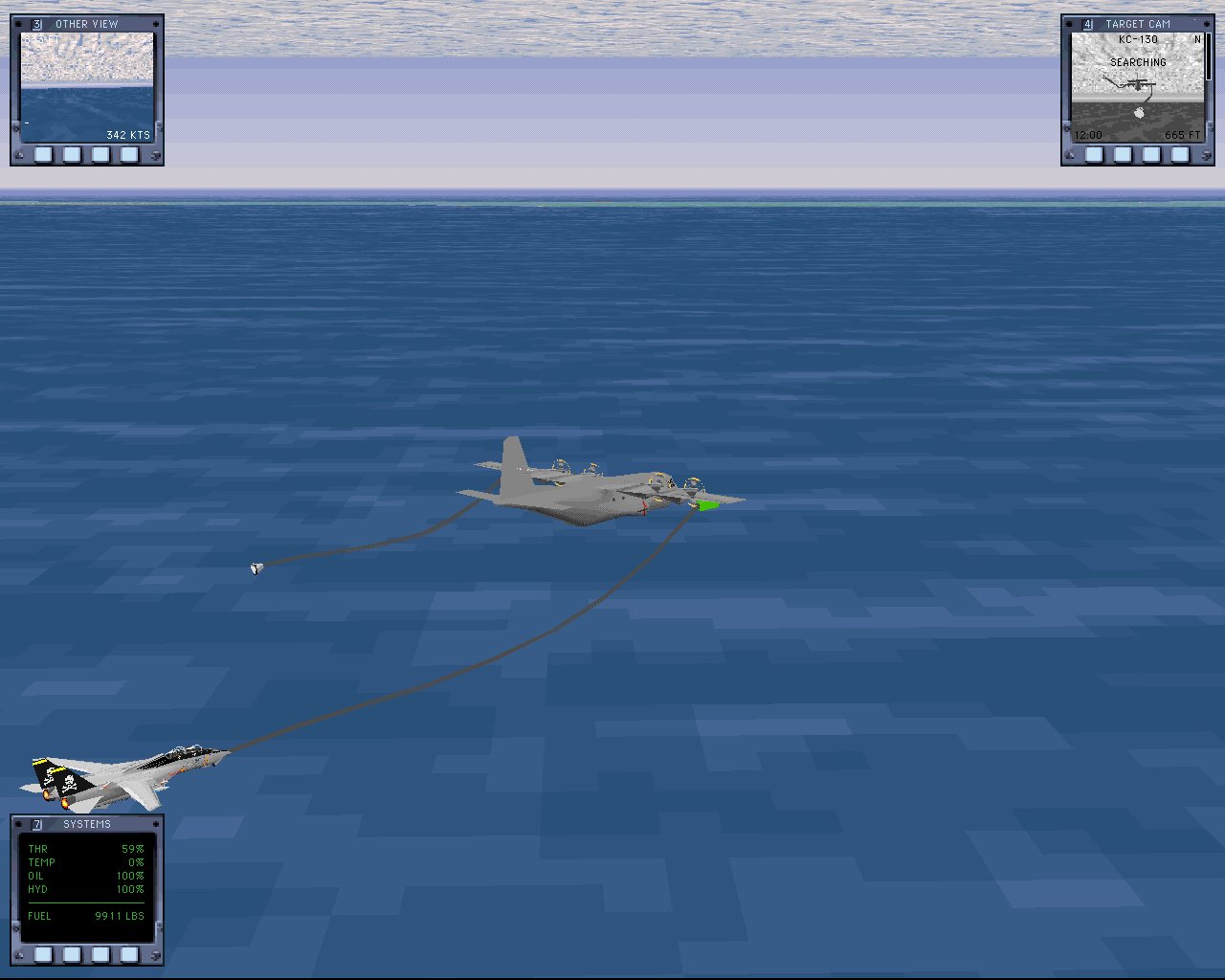
Screenshots from FA 1.02f with the shipped KC130.SH, taken by Kuoyi.
以上是 Kuoyi 用發布版 KC130.SH 在 FA 1.02f 裡的實機截圖。
How to refuel from the KC-130
怎麼跟 KC-130 加油
- Copy
KC130.SH,_KC130.PICandKC130.PTinto your FA folder. The stockKC130.PTpoints toAN12A.SH; the new one points toKC130.SH, so the plain C-130 transports are left as they were. - Pick a mission with a friendly KC-130, or add one in the mission editor and have it fly a straight leg.
- Come up behind it. Within 3,000 ft behind, 1,000 ft to either side and 1,200 ft below, both hoses reel out to 360 ft.
- Point your nose at one drogue. The side is picked by which side of the tanker you are on. Inside about 660 ft that drogue follows your nose, and the hose lengthens or shortens with you.
- In contact you get
Start Refueling, the pod on that side turns green and fuel flows at 50 lb/s (3,000 lb/min). - Full:
Plane Re-Fueled. Back off and the drogue returns to trail.
- 把
KC130.SH、_KC130.PIC和KC130.PT複製到 FA 目錄。原版KC130.PT指向AN12A.SH,新的改指向KC130.SH,所以一般的 C-130 運輸機不受影響。 - 選一個有友軍 KC-130 的任務,或在任務編輯器裡加一架,讓它直線飛一段。
- 從它後方接近。進入後方 3,000 ft、左右 1,000 ft、下方 1,200 ft 以內,兩條軟管都會放出到 360 ft。
- 機頭對準其中一個錐套。用哪一側看你在加油機的哪一邊。大約 660 ft 以內,那個錐套會跟著你的機頭,軟管也會跟著你放長或收短。
- 接上時跳出
Start Refueling,那一側的莢艙變綠,以每秒 50 lb(每分鐘 3,000 lb)加油。 - 加滿時跳出
Plane Re-Fueled。退開後錐套回到拖曳位置。
| Condition | 條件 | Range | 範圍 |
|---|---|---|---|
| Hose length, pod to your nose | 軟管長度(莢艙到你的機頭) | 24 – 600 ft | |
| Hose elevation (below the pod) | 軟管俯角(在莢艙下方) | −5° – 50° | |
| Hose azimuth (left / right) | 軟管左右偏角 | ± 35° | |
| Heading difference | 航向差 | ± 20° | |
| Speed difference | 速度差 | ± 60 ft/s |
The contact point is the tip of your nose: the code reads the front of your aircraft’s collision box from its shape, so it fits any jet (85 ft ahead of centre if that cannot be read). Probe-and-drogue receivers carry the probe by the nose, so this is where it belongs.
接觸點是你的機頭尖端:程式從你的外形讀出碰撞盒的最前緣,所以每種飛機都對得上(讀不到時用中心前方 85 ft)。軟管式受油機的受油探管就在機頭附近,所以接觸點放在這裡。
How the KC-130 was made
KC-130 的製作過程
- Hook the C-130.
AN12A.SHalready starts every draw with a small x86 routine. Its return address now leads to the new code first, which then hands control back, so no original byte inside a relocated address is touched. - Pods and hoses. Each pod is a small closed body on a pylon under the outer wing. Each hose is a separate part hinged at the pod tail: the x86 aims it, sets its length every frame and moves the drogue to the end.
- Thin and long. Kuoyi asked for a thinner hose, then a longer one. At four times the first length the hose jittered, so it settled at three times (360 ft trailing, 600 ft at most). Distances that long overflow FA’s 16-bit part coordinates, so the lengths are kept in 32 bits and the drogue faces use wide plane points.
- Green where you can see it. The first contact light was the inside of the drogue, which the receiver cannot see from behind. Now the whole pod on the active side turns green.
- Stray lines across the screen. When a hose end went behind the camera, a stroke shot across the whole screen. FA checks the shape’s bounding sphere against the view before drawing; if the sphere is fully in view it skips near-plane clipping. The C-130’s sphere only covered the airframe, not 600 ft of hose, so the sphere was enlarged to cover the hoses and FA clips them again.
- A hanging hose. Each hose is now 8 segments. Every frame the x86 bends them into a curve that drops steeply from the pod and runs level into the drogue, like the photos.
- 掛勾 C-130。
AN12A.SH每次畫的時候本來就會先跑一小段 x86。現在把它的返回位址導到新的程式,跑完再交還,所以不會改到任何需要重定位的原始位元組。 - 莢艙和軟管。每個莢艙是掛在外翼派龍架下的封閉小物體。每條軟管是獨立零件,樞紐在莢艙尾端:x86 負責轉向、每個畫面設定長度,並把錐套移到管尖。
- 又細又長。Kuoyi 要求軟管再細一點、再長一點。放到第一版的四倍時軟管會亂晃,所以定在三倍(拖曳 360 ft,最長 600 ft)。這麼長會超出 FA 零件的 16 位元座標,所以長度改用 32 位元記錄,錐套的面也改用寬格式的平面點。
- 綠燈要讓人看得到。第一版接上時亮的是錐套內面,受油機從後面看不到。現在改成整個那一側的莢艙變綠。
- 天外飛來一筆。軟管末端跑到鏡頭後方時,會有一條線劃過整個畫面。FA 畫物件前會先用外形的包圍球檢查是否在視野內;整顆球都在視野內時就不做近平面裁切。C-130 的包圍球只包住機身,沒包到 600 ft 的軟管,把包圍球加大到涵蓋軟管後,FA 就會正常裁切。
- 垂掛的軟管。每條軟管現在分成 8 段。x86 每個畫面把它們彎成曲線:從莢艙先陡陡往下垂,接近錐套時拉平,和照片一樣。
Source: tools/shgen/kc130_refuel.py builds KC130.SH from SH/AN12A.SH (python3 kc130_refuel.py AN12A.SH KC130.SH; hose lengths, the box and the rate are constants at the top). kc130_refuel_test.py runs its x86 in an emulator. _KC130.PIC is _AN12A.PIC under the new name. Size 33,280 → 37,888 B.
原始碼:tools/shgen/kc130_refuel.py 從 SH/AN12A.SH 產生 KC130.SH(python3 kc130_refuel.py AN12A.SH KC130.SH;軟管長度、加油框和速率都是檔案開頭的常數)。kc130_refuel_test.py 用模擬器執行它的 x86。_KC130.PIC 就是改名的 _AN12A.PIC。大小 33,280 → 37,888 B。
How the KC-135 was made
KC-135 的製作過程
This started as a question about the runway resupply. FA.EXE re-arms and re-fuels you when you stop near your base (notes), but it has no air refueling at all. Rather than patch the EXE, the whole feature went into the tanker’s own shape, because an SH can carry native x86 code that FA runs while drawing it.
一開始只是想了解跑道補給。FA.EXE 會在你停在基地附近時重新掛彈加油(筆記),但完全沒有空中加油。我們沒有去改 EXE,而是把整個功能放進加油機自己的外形,因為 SH 可以帶 x86 程式,FA 畫它的時候就會執行。
- Read the original. The stock boom is a flat strip drawn only when
_PLafterBurneris on (for a player flying the tanker). The collision table says 284 ft, and FA lets a moving AI sweep that radius into a human player, which is why tailing a tanker always ended in a crash. - Write the x86. Each time FA draws a KC-135, the code finds the tanker and you, turns your receptacle into the tanker’s frame, works out distance, elevation and azimuth, moves the boom toward you at 20°/s, adds fuel and sends the in-game messages through FA’s own message routine.
- The first builds crashed as soon as the KC-135 was selected. The hook overwrote one byte of a relocated address; FA’s loader looked that address up, found nothing and crashed. Since then the generator refuses any patch that touches a relocation.
- A real boom. Kuoyi wanted it to look like the photo: it now lowers to 30°, with a dark grey upper boom, black V ruddevators, an orange and black telescope that slides out, and green director lights.
- Invisible faces. In game the telescope showed only outlines and a fin flickered. FA culls faces by the order of their corners on screen, not only by their normal, and those faces were wound backwards. Every new face is now wound to match its normal, the same rule all the original faces follow.
- Drawn last when you are underneath. Seen from below, the fuselage was painted over the lights and boom. When your eye is under the belly, the boom and lights are drawn after the whole aircraft, by redirecting the end of its main drawing tree.
- Tuning in the air. Wider box, faster telescope, a
Start Refuelingmessage, lights behind the boom hinge where the receiver can see them, and the small collision radius kept whenever you are near, so overshooting is safe. - Reaching further (Nov 23). Pilots overshot when they came in close, because the boom stopped at 45° and the telescope was short. The boom now goes down to 60° and the telescope is twice as long (up to about 96 ft), so contact holds from 96 to 213 ft. The first build of this crashed on mission load: the bigger code block grew past the address where the import table starts, so the section space reserved before it was doubled and the generator now refuses to write overlapping sections.
- Today’s grey and a shorter gear (Nov 23). The stock tanker hung its engine pods very low, so FA had to draw long gear legs and park it high. The pods were raised to just under the wing, the gear pictures were cropped from the top (wheels keep their size) and the parking height in the collision box was lowered. The olive green became the current USAF grey: every green colour index moves 48 steps to the matching shade of the grey ramp, in the faces, in the per-vertex shading records (smooth-shaded faces take their colour from these, not from the face) and in
_KC135.PIC.
- 先讀懂原版。原版硬桿只是一條扁平的面,只在
_PLafterBurner開啟時才畫(玩家自己開加油機時)。碰撞表寫的是 284 ft,而 FA 會讓移動中的 AI 用這個半徑去掃人類玩家,所以跟在加油機後面一定會撞。 - 寫 x86。FA 每次畫 KC-135 時,程式會找出加油機和你,把你的受油口換算到加油機座標,算出距離、俯角和偏角,讓硬桿以每秒 20° 轉向你,加油,並透過 FA 自己的訊息程式顯示訊息。
- 最初幾版一選 KC-135 就當機。掛勾蓋掉了一個需要重定位的位址的一個 byte;FA 的載入器去查這個位址,查不到就當機。從那之後,產生器只要發現修改碰到重定位位址就拒絕輸出。
- 做成實機的硬桿。Kuoyi 希望它像照片:現在放下到 30°,有深灰色上半桿、黑色 V 形飛翼、會伸出的橘黑伸縮管,以及綠色指示燈。
- 看不見的面。遊戲裡伸縮管只剩框線,飛翼時有時無。原因是 FA 剔除背面時看的是面在螢幕上的頂點順序,不只是法向量,而那些面的順序剛好反了。現在每個新面都依法向量排好頂點順序,和原版所有的面一樣。
- 你在下方時最後才畫。從下方看時,機身會蓋掉燈和硬桿。當你的視點在機腹下方,硬桿和燈會改到整架飛機畫完之後才畫,做法是把主繪圖樹的結尾導過來。
- 在空中調整。放寬加油框、加快伸縮管、加上
Start Refueling訊息、在硬桿樞紐後方加受油機看得到的燈,並在你靠近時一直維持小碰撞半徑,衝過頭也安全。 - 伸得更遠(11/23)。飛得太近時容易衝過頭,因為硬桿只能放到 45°,伸縮管又短。現在硬桿可以放到 60°,伸縮管加倍(最長約 96 ft),96 到 213 ft 之間都能接上。第一版一進任務就當機:程式區塊變大,蓋到了匯入表的位址,所以前面預留的區段空間加倍,產生器也會拒絕輸出區段重疊的檔案。
- 現行灰色塗裝和較短的起落架(11/23)。原版的引擎艙掛得很低,FA 只好把起落架畫得很長、停得很高。引擎艙往上提到機翼下方,起落架貼圖從上方裁短(輪子大小不變),碰撞盒裡的停機高度也一起降低。橄欖綠改成現行美軍灰色:所有綠色色號都往後移 48 到灰色組對應的明暗,面顏色、每個頂點的著色記錄(平滑著色的面用的是這裡的顏色,不是面顏色)和
_KC135.PIC都要改。
What is inside KC135.SH
KC135.SH 裡加了什麼
| New block before the signature | 簽章前的新區塊 | about 8.5 KB: boom part (92 vertices), lights (44 vertices), boom placements, data, x86 | 約 8.5 KB:硬桿零件(92 點)、燈(44 點)、硬桿放置、資料、x86 |
| Hooks in the original code | 原程式裡的掛勾 | afterburner check at CODE 0x3714 → x86; end of the main tree at 0x146B → lights and boom when seen from below | CODE 0x3714 的後燃器判斷 → x86;0x146B 主繪圖樹結尾 → 從下方看時的燈和硬桿 |
| Changed at run time | 執行時改寫 | boom angles, telescope vertices, light colours, collision radius | 硬桿角度、伸縮管頂點、燈的顏色、碰撞半徑 |
| Size | 大小 | 33,280 → 41,984 B |
Source: tools/shgen/kc135_refuel.py builds the file from the factory KC135.SH (the copy in your game, or this repo before release #8; python3 kc135_refuel.py original.SH out.SH; distances, rates and the box are constants at the top; kc135_gray.py then adds the grey paint and short gear). kc135_refuel_test.py runs the x86 in an emulator against fake objects.
原始碼:tools/shgen/kc135_refuel.py 從出廠的 KC135.SH 產生這個檔(遊戲裡的原檔,或本 repo 發布 #8 之前的版本;python3 kc135_refuel.py 原版.SH 輸出.SH;距離、速度和加油框都是檔案開頭的常數;再用 kc135_gray.py 換灰色塗裝和短起落架)。kc135_refuel_test.py 用模擬器拿假物件執行這段 x86。